
AI automation, Design
The power of AI and automation in UX

by Serhat Altın ·
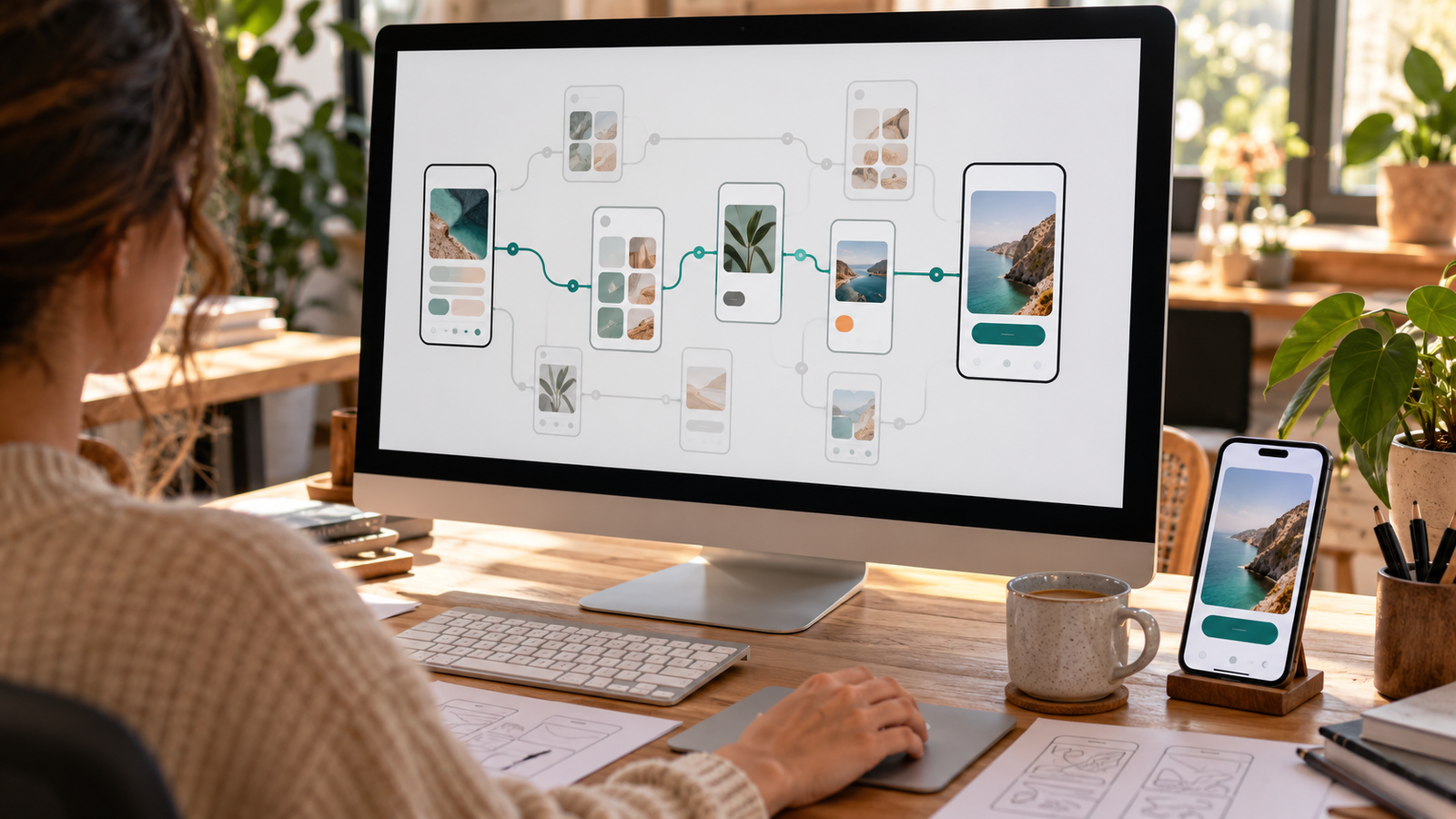
AI and automation speed up the UX design process: they take over repetitive work in research, analysis, prototyping and the handover to development. That way you deliver better user experiences faster, at lower cost and with less risk.
In today’s fast-changing digital landscape, user experience (UX) is not a buzzword but a key differentiator and a cornerstone of business success. For leaders grappling with the complexity of digital transformation, the pressure is enormous to deliver exceptional digital experiences while increasing revenue, cutting costs and reducing risk. Many organisations, however, face significant challenges: their UX design processes are often lengthy, complicated and repetitive, creating stubborn bottlenecks that slow innovation and delay critical digital solutions.
This is where the transformative power of AI and automation in UX design comes in. By strategically integrating these forward-looking technologies, businesses can streamline workflows, reach insights faster and deliver better user experiences that produce tangible business results. This smart approach to experience design promises unprecedented value and changes the way we connect with both users and employees.
Tackling business bottlenecks
The traditional UX design process is an important foundation, but for modern businesses it often contains bottlenecks. From extensive research and user testing to iterative prototyping and the handover to development: the amount of manual work can be considerable. This often leads to a longer time to market for new features or products, higher operational costs and the real risk of falling behind competitors who respond to change and innovate faster.
Consider the pain points that recur across many industries. Organisations often operate in complex digital ecosystems, from platforms for intricate financial transactions to systems that run large logistics networks or critical care processes. The need for intuitive, secure and personalised digital interactions is great. Complex user journeys on transaction platforms, for example, often lead to high drop-off and missed revenue.
Interfaces for advanced operational systems, whether complex machinery, patient data management or intricate supply chain logistics, also demand absolute clarity, precision and ease of use to ensure safety and efficient processes. In data-heavy environments, advanced digital processes require seamless interaction between people and systems, with complex information presented in an understandable and usable way; poor UX here can lead to costly mistakes, inefficiency and even serious safety risks.
For the board, the message across all functions is clear: optimising the UX design process is no longer optional. It is a strategic necessity to maintain a competitive edge and accelerate digital transformation. The lengthy, complicated and repetitive nature of current processes consumes a lot of resources and is a tangible barrier to reaching strategic goals. The struggle to get projects going and keep momentum in iterative cycles is a widely felt pain point, affecting planning and agility across the whole organisation.
Solutions to common problems
AI and automation are not here to replace human creativity but to amplify it, so UX professionals can let go of tedious tasks and focus on more valuable, strategic thinking. These technologies are changing the UX landscape in several powerful ways and offer direct, impactful solutions to the bottlenecks many businesses face.
These smart tools can accelerate research and insights, directly tackling the time-consuming nature of the early UX phase. AI algorithms can quickly process large amounts of qualitative and quantitative data from surveys, interviews, analytics and social media. Patterns, pain points and user needs become visible faster, leading to more data-driven design decisions. Automated user testing tools, often powered by AI, streamline everything from recruiting participants to analysing their interactions and detecting usability issues, significantly reducing the time and cost of gathering feedback. In addition, AI can predict user behaviour based on historical data, so designers can proactively address potential usability issues and optimise user flows before development even begins. The work shifts from reactive problem-solving to proactive design.
In streamlining design and prototyping, AI offers a solid solution to the burden of manual iteration. AI can help generate design variants based on predefined parameters and user data, so designers can quickly explore and refine a wider range of options. Automated prototyping tools can create interactive prototypes straight from wireframes or design specifications, making user journeys and interaction flows visible faster. AI also plays an important role in managing design systems: it helps maintain consistency across digital products by automatically flagging deviations or suggesting components that meet established guidelines. That reduces design debt and inconsistencies across large design portfolios.
AI and automation also significantly improve personalisation and adaptability, responding to the growing demand for tailored experiences. AI can adapt interfaces in real time to individual users’ preferences, behaviour and context, for highly personalised experiences that resonate better. AI can also analyse content performance and suggest optimisations for copy, images and multimedia, increasing engagement and relevance for specific audiences and making digital communication more effective.
Finally, these technologies are essential for a better handover to development and faster iteration, a common friction point that delays delivery in many projects. For certain UI components, AI can generate simple code snippets straight from design files, reducing manual coding and handover errors. AI can also manage and analyse A/B test results more efficiently, with quick insights into which design variants perform best and automatic implementation of the winning designs. Through continuous feedback loops between user data, design and development, automation enables faster iterations and continuous improvement of digital products, moving away from rigid, linear processes that often delay important updates.
Tangible benefits of AI and automation
Integrating AI and automation into UX design translates directly into significant business benefits. It offers concrete solutions for key business goals and tackles the common pain points that erode profitability and efficiency.
This strategic shift leads directly to more revenue. Intuitive and personalised experiences make for happier users, more engagement and greater customer loyalty, which in turn leads to repeat purchases and subscriptions. Streamlined user journeys and optimised interfaces reduce friction, increasing conversion for sales, sign-ups and other key business goals. By significantly speeding up the design process, new features and products can go live faster, so businesses seize market opportunities before their competitors.
Organisations also benefit greatly from lower costs. By automating repetitive, time-consuming tasks, valuable design and development capacity is freed up for more strategic and complex challenges. Data-driven insights and automated validation reduce the chance of costly design errors and extensive rework during development. Altogether, streamlined workflows and automated processes deliver higher operational efficiency and long-term cost savings, directly addressing the financial pressure of manual, error-prone processes.
Finally, AI and automation contribute significantly to lower risk. By detecting and fixing usability issues early with AI-driven testing and analysis, you reduce the risk of launching products with a poor user experience, which can damage brand reputation and lead to costly redesigns or even regulatory non-compliance. Automation can also help ensure designs meet strict compliance requirements and accessibility guidelines, limiting legal and reputational risk. In addition, AI-driven insights provide a firmer basis for design decisions, reducing the risk of choices made on assumptions or incomplete data, a common cause of failed projects and unforeseen costs.
An AI-driven framework for innovation
To fully harness the power of AI and automation, it is essential to understand how these technologies fit into a modern, iterative UX design framework. This structured approach ensures every step, from first concept to continuous optimisation, runs more efficiently and delivers more insight and user value.
1. Understand: defining the challenge and goals
This foundational step is about clearly defining the user’s core problem and carefully aligning design solutions with the organisation’s overarching strategic goals.
AI-powered visual collaboration platforms (e.g. Miro with Miro Assist): these tools make it possible to map problems together and identify user pain points and operational friction across different teams. They offer AI-driven layout improvements, automatic clustering of ideas and smart summaries of discussions, significantly reducing manual work and speeding up insights. In an online workshop, for example, AI can instantly link a recurring theme like "errors in documentation" to a specific region, revealing a core problem that directly affects the user experience and operational efficiency.
Advanced AI models for generating and understanding text (e.g. Gemini, ChatGPT): these models quickly summarise key challenges and emerging trends from large amounts of unstructured data and define problems from a broad user perspective. By feeding them customer feedback, internal reports or market analyses, they can identify themes and pain points or generate sharpened problem statements. This speeds up problem definition and lowers the cost of manual data review, resulting in clear, concise organisational goals that reflect real user value. AI can, for example, quickly extract the main recurring pain points from customer service call transcripts and propose a sharpened problem statement for a UX initiative.
2. Research: uncovering user needs and behaviour
In this phase you carry out in-depth user research to gain a thorough understanding of the target audience, their diverse needs, pain points and behaviour in complex digital environments. The challenge lies in researching very diverse user groups, from individual consumers to large enterprises and internal employees.
AI-powered user testing platforms (e.g. Maze): these platforms enable fast, unmoderated testing of digital touchpoints with a diverse panel of real users worldwide. They offer automated analysis of test results, heatmaps, path analysis and sentiment analysis of user comments, giving insight into user behaviour while reducing the time and cost of research. They also flag friction points that can lead to abandoned transactions, reducing the risk of missed conversions. AI heatmaps can, for example, instantly reveal confusion around specific input fields in a checkout, so you prevent potential drop-off.
AI-powered human insight platforms (e.g. UserTesting AI): these tools provide deeper qualitative insight into complex user journeys through video recordings of real users. They offer AI analysis of recordings and transcripts, automatic highlight reels of key moments (user confusion and delight) and smart theme tagging, significantly reducing analysis time and cost. This leads to more intuitive designs, more usage and more revenue. A short AI-generated highlight reel can clearly show that a key user group gets stuck on a new feature.
Generating synthetic users (e.g. SyntheticUsers): these tools generate simulated user behaviour and feedback for fast, early insights, without having to recruit real users right away. By defining personas and scenarios, automated tests can explore edge cases or early concepts, with realistic user paths and AI-generated qualitative feedback. This speeds up early research, lowers initial testing costs and surfaces potential usability issues before live testing.
3. Analyse: synthesising insights into usable frameworks
This crucial step is about interpreting large amounts of research data from diverse sources, such as customer feedback, operational logs and market trends, to create clear, actionable insights that guide strategic design decisions. That keeps all the work data-driven and user-centred.
Advanced AI models for generating and understanding text (e.g. Gemini, ChatGPT): these models bring together qualitative data from different sources to identify themes and populate analysis frameworks. By feeding them interview transcripts, survey responses or open feedback, they can identify themes, extract quotes or suggest categories. This lowers the cost of manual analysis and produces detailed persona descriptions or completed sections of an empathy map, reducing the risk of misinterpreting user needs. AI can, for example, summarise the main pain points from raw interview notes and suggest categories for an affinity map.
AI-powered survey and feedback analysis (e.g. Poll the People): these tools quickly collect quantitative and qualitative feedback from a broad audience on specific design concepts or user preferences. They offer AI analysis of open survey responses, sentiment analysis and automatic categorisation of feedback, leading to faster insights and lower costs. This lets you validate assumptions and prioritise features based on what users think, contributing to more revenue and reducing the risk of building features nobody wants.
AI-powered qualitative data analysis platforms (e.g. Notably): these platforms streamline qualitative data analysis by quickly clustering observations and producing concise summaries. By entering research notes, AI features can group and summarise findings and identify emerging themes. This lowers the cost of manual analysis and delivers solid insights for designs that improve efficiency and reduce risk for users.
4. Plan: defining structure and priorities
In this phase, problem definitions and user insights are translated into concrete structural plans. This includes defining the information architecture for complex systems, guiding the content hierarchy, establishing minimum viable products (MVPs) and prioritising features for development, so there is a clear roadmap that delivers user value efficiently.
Advanced AI models for planning and strategic guidance (e.g. Gemini, ChatGPT): these models help draft initial sitemap structures and come up with features that match users’ mental models and deliver user value. Based on problem statements and user insights, they can suggest various sitemap structures, extensive MVP feature lists or prioritisation frameworks. This speeds up planning, lowers costs and surfaces structural issues that could confuse users, reducing the risk of low adoption.
AI website builders and sitemap generation (e.g. Relume (Sitemap)): these tools quickly generate website structures and sitemaps with a logical flow for users and content. By entering content themes or user flows, AI features can visualise the information architecture and hierarchy, speeding up planning and lowering costs. This visual representation of the content hierarchy reduces the risk of poor navigation and improves the user experience.
5. Design: from sketch to high fidelity
In this iterative phase, planned structures are turned into tangible, interactive design solutions, from rough low-fidelity sketches to validate concepts quickly to pixel-perfect high-fidelity UI mock-ups ready for development.
AI wireframe generation (e.g. Relume Wireframe): these tools quickly create low-fidelity wireframes, making user flows and structural concepts instantly visible. They speed up concept work, lower costs and reduce risk because user flows can be validated early.
AI design system management (e.g. Relume Style Guide): these tools ensure consistent application of brand guidelines and design system elements in the high-fidelity UI, building user trust through a predictable interface. They deliver consistent high-fidelity UI mock-ups aligned with established brand guidelines, lowering rework costs and reducing the risk of an inconsistent brand.
AI design suggestions (e.g. Stitch (Galileo)): these tools generate complex, high-fidelity UI screens straight from text prompts, speeding up design exploration. They create concepts efficiently and lower costs, so design options can be explored faster for better user flows and more engagement.
Major design tools with built-in AI (e.g. Figma (AI)): these platforms are a central place for collaborative design, with AI for more efficiency. They offer AI-generated first high-fidelity layouts and help with content creation, image editing and design system compliance.
AI wireframing and design suggestions (e.g. UX Pilot): these tools offer AI-driven wireframes and design suggestions, speeding up the first design phase and ensuring user-centred layouts.
6. Prototype testing: validating and improving solutions
This crucial step is about thorough user testing with interactive prototypes of new or redesigned digital products, to collect feedback, detect usability issues and iterate quickly before the costly development phase. The goal is a flawless user experience that truly meets user expectations.
Major interactive prototyping tools (e.g. Figma): with these tools you create highly interactive, realistic mock-ups that produce authentic user behaviour data during testing. Future AI features may help generate complex interactions or flag usability issues in the prototype itself.
Synthetic users for testing (e.g. SyntheticUsers): these tools deliver fast, scalable feedback on prototypes by simulating user behaviour, without needing real users for every iteration. They significantly reduce the cost and time of early testing, quickly reveal design flaws and reduce risk before you involve real users. AI can, for example, point to a specific step where synthetic users keep getting stuck in a simulated test.
AI-powered human insight platforms (e.g. UserTesting AI): these tools collect in-depth qualitative insights from real users working with prototypes and speed up the analysis of their thoughts and emotions.
AI visual attention prediction (e.g. Attention Insight): these tools predict where users will look in a design, so you can optimise the visual hierarchy before live testing. They give instant feedback on visual effectiveness and lower costs by optimising designs before testing, so key elements get noticed.
AI heuristic evaluation (e.g. Heurix): these tools automate heuristic evaluations to quickly detect potential usability issues based on established UX principles. They automate a time-consuming manual process and give concrete recommendations for improvement.
7. Development handover and implementation support
This phase ensures a seamless transition of complex UI designs from design to engineering, keeping the design true to the original and giving development teams clear, actionable specifications. This is where design integrity meets efficient execution, so the user experience is ultimately delivered as intended.
Major design tools for developer handover (e.g. Figma (Dev Mode), Figma-Claude integration): these tools give developers inspectable design files and code snippets right in the design environment, for accurate implementation. They streamline communication and lower development costs. AI enhancements can anticipate developer needs and flag complexity, reducing the risk of misinterpretation.
Design token management for syncing with code (e.g. Tokens Studio (Figma plugin)): although these are not AI tools, they keep the design system consistent across all digital products, ensuring brand consistency and technical scalability. They significantly lower the cost of manual updates and maintenance by syncing design decisions straight to code formats, reducing the risk of inconsistent designs and technical debt.
8. Optimisation: continuous improvement of live solutions
This final, ongoing phase is about monitoring the performance of live digital products, analysing real user behaviour and continuously iterating to improve efficiency, satisfaction and business results. This is the crucial feedback loop that ensures lasting value and a user experience that keeps evolving positively.
Behaviour analytics and feedback with AI insights (e.g. Hotjar): these tools give visual insight into how users interact with live products and show where they drop off or get stuck. They offer heatmaps, session recordings, automatic summaries of user feedback and smart detection of unusual user behaviour, lowering the cost of manual analysis. This directly affects conversion and user satisfaction, contributes to more revenue and reduces the risk of negative customer sentiment.
This strategic use of AI and automation offers a clear route to overcoming today’s bottlenecks in UX design. It’s an opportunity to choose a more efficient, more innovative and more impactful way of creating digital experiences.
Download PDF: AI-driven UX workflow - Wisefrog
In short
- AI and automation don’t replace the UX designer; they take over tedious, repetitive work.
- They speed up research, analysis, prototyping and the handover to development.
- The result: more revenue, lower costs and less risk because you test early.
- An 8-step framework helps you use AI at the right moments.
Want to apply this in your own team? See how we combine AI automation and UX/UI design, or explore the Nielsen Norman Group research on AI in UX.
Frequently asked questions
Does AI replace the UX designer?
No. AI and automation strengthen human creativity: they take over repetitive tasks, such as processing data and generating variants, so designers can focus on strategic thinking and the right decisions.
In which UX design phases does AI help most?
Mainly in research and analysis (summarising large amounts of feedback), in wireframes and prototypes, in testing with heatmaps and synthetic users, and in the development handover and optimisation after launch.
What do AI and automation in UX deliver?
More revenue through better, personalised experiences, lower costs because repetitive work disappears, and less risk because you catch usability problems before the development phase.